Generate Bybit API Key and Secret
Exclusive Support for UTA Accounts
OVNbot, a modern platform designed for optimal investment utilization and superior margin capabilities, mandates connection exclusively via Bybit UTA accounts due to its enhanced features provided by Bybit.
Ensure to upgrade your account to a UTA (Unified Trading Account) successfully before generating an API and linking to OVNbot.
If you are using a Main (Master) Account, please elevate your account to UTA status before initiating the link exchange. (Support for linking Main accounts is available, provided you have a comprehensive plan in place.)
We strongly recommend creating a UTA sub-account to prevent order mix-ups and to manage your account with utmost convenience and efficiency.
Create a Subaccount
We recommend setting up a subaccount for an enhanced experience. To do this, follow this link to create a new subaccount. If you prefer to proceed with the master account linked to OVNbot, feel free to skip this step.
Create a new API Key
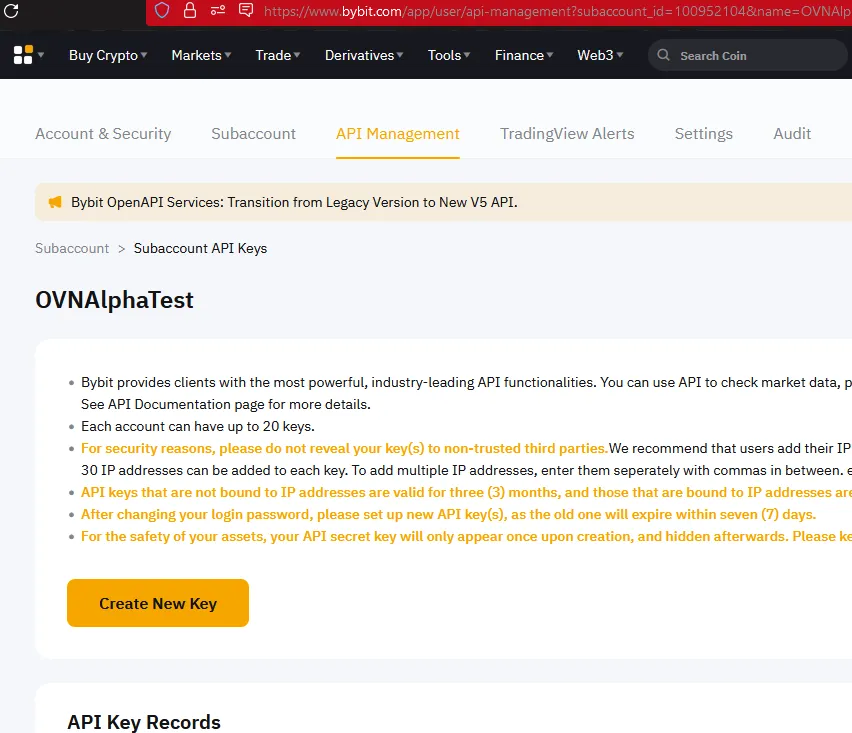
- Navigate to the API Management tab.
- Click on the yellow 'Create New Key' button.
Note: Ensure you’re in the Subaccount > Subaccount API Keys section to avoid creating an API key for your master account.
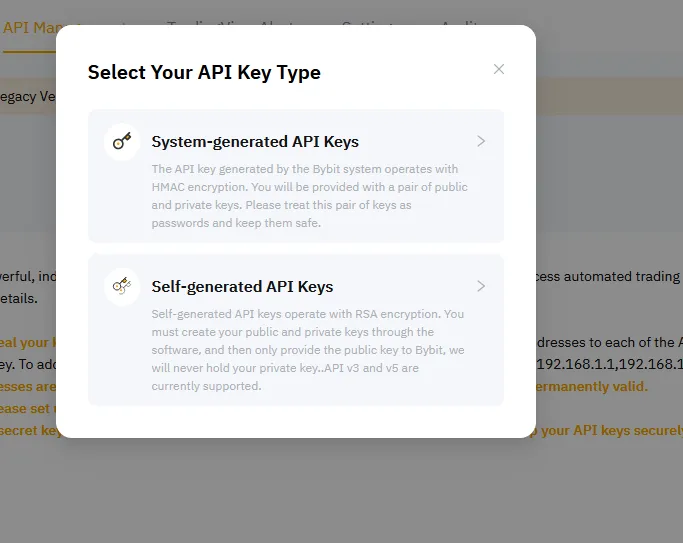
Choose API Key Type
Opt for System-generated API Keys for a streamlined creation process.
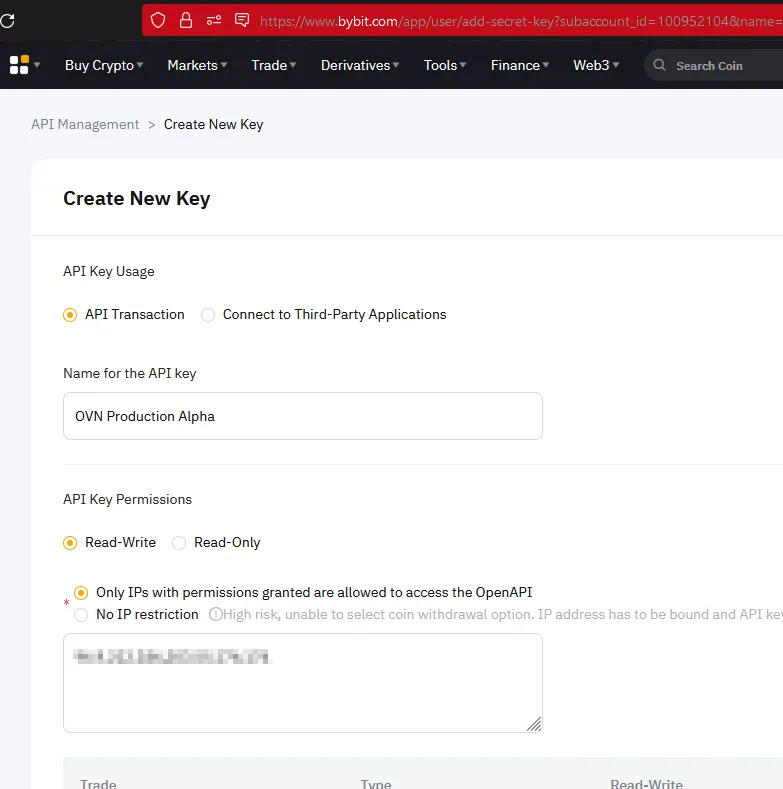
Configure Your New Key
API Key Usage : API Transaction Name for the API Key : Choose a name as per your preference. API Key Permission : Read-Write IP Restriction : Optional - select ‘No IP restriction’ or specify an IP by referring to the updated ip here
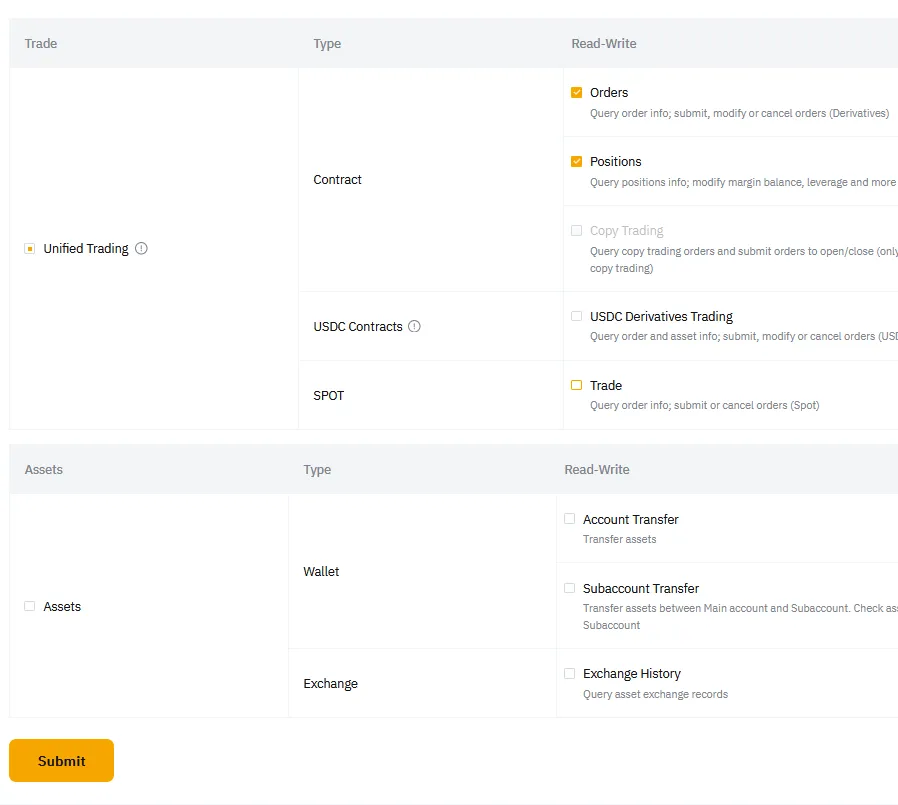
Assign permissions
Assign only the following permissions for security and efficiency:
- Unified Trading > Orders : Enables the placement of orders, both open and close.
- Unified Trading > Positions : Allows reading of existing positions.
Avoid assigning additional options to maintain security.
Activate Your API Key
After receiving your API key and secret, copy and submit them to the OVNbot link exchange to establish a connection between OVNbot and your Bybit account.
Encountered an Issue Linking Bybit Exchange?
Ensure to verify the following:
- UTA Upgrade: Ensure your account is upgraded to a Unified Trading Account (UTA) or create a sub-account of the UTA type. More details here https://www.bybit.com/en-US/promo/events/unified-trading-account
- Key & Secret: Confirm that every character in your API Key and API Secret is correct and accurately entered.
- Account Verification: Ensure the API is created on the correct account, specifically a Unified Trading Account.
- Permissions: Check that the permissions are set correctly as required.
- IP Restriction: If you have chosen to restrict IP access, confirm the IP restrictions are set correctly.